I recently bought an Apple Watch—partly to break free from my phone and stop pulling it out every minute, and partly to track my sleep and fix my body clock. After almost two weeks of use I’ve found some really handy apps; here’s a quick share.
Sleep Tracking
I recommend AutoSleep or Pillow. AutoSleep is a one-time purchase, cheap—currently ¥25 on the App Store. Pillow is freemium: basic features are free, but advanced sleep analysis, heart-rate insights, etc. require a subscription (¥188/year). The basics are usually enough. With Pillow, after a night’s sleep you’ll get a simple report showing sleep duration, quality, average heart-rate and sleep stages. If you want full reports, the ¥25 AutoSleep is more cost-effective. You can also pair it with Sleep Cycle as an alarm—Apple’s default alarm sound scares me every time.
P.S. Sleeping with the sport band is genuinely uncomfortable; swap to a braided loop at night.
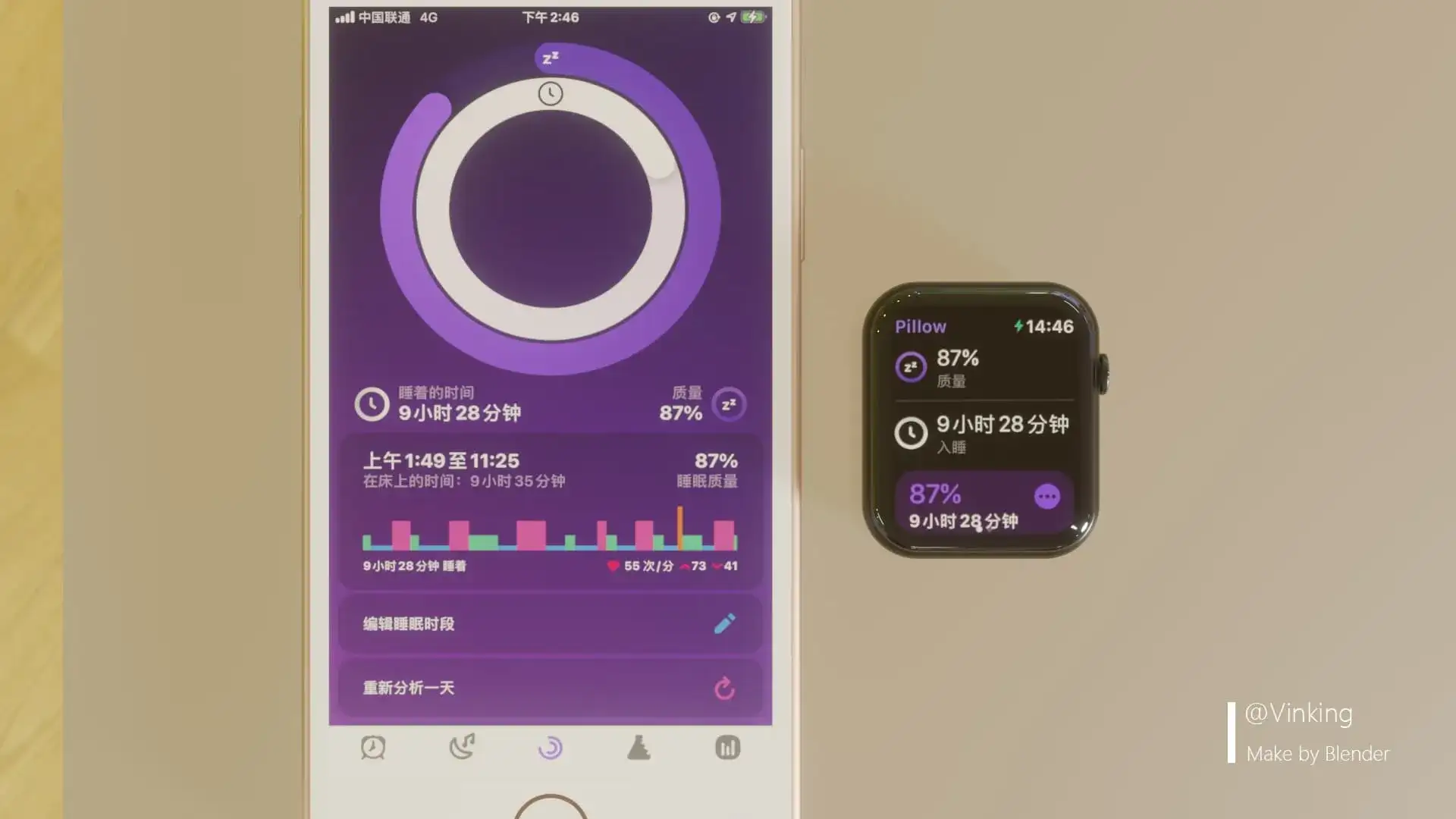
Pillow
Both AutoSleep and Pillow require their companion iPhone apps to work.
Workouts
The built-in Fitness app is great: pick a workout type in the Watch’s Workout app and go. It continuously logs heart-rate, calories, etc. When you finish, a report appears instantly in the Fitness app on your phone.
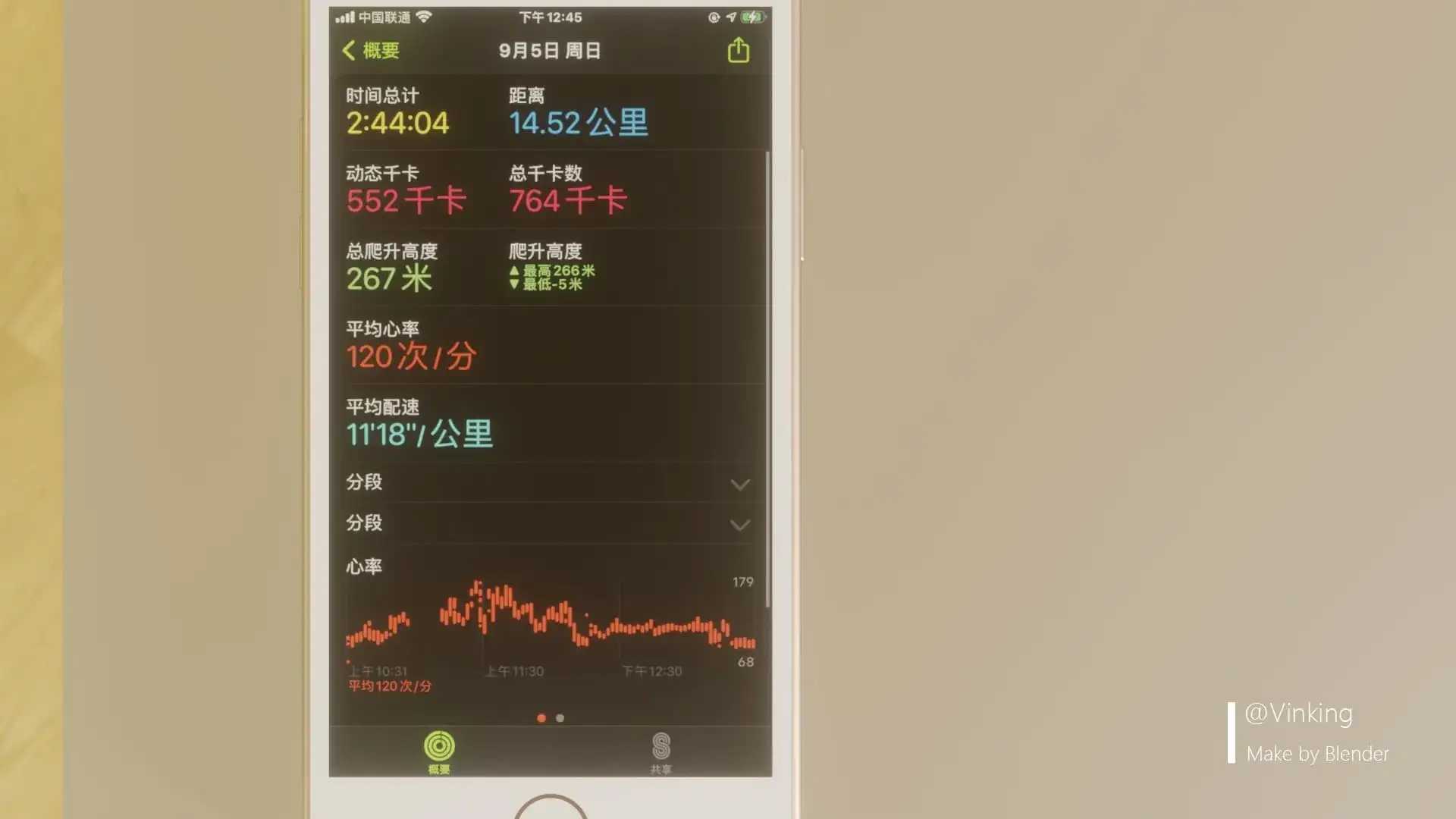
Workout Report
Forgot to hit “start”? The watch auto-detects if you’re exercising and backfills the data. Third-party apps like Keep and Nike+ Run Club offer guided workouts and leaderboards, but I haven’t tried them so I won’t elaborate.
P.S. WeChat automatically pulls workout data and shows it in WeChat Sports.
<svg viewBox="0 0 1024 1024"xmlns="http://www.w3.org/2000/svg"width="16"height="16">
    <path d="M311.083 225.75A128 128 0 0 1 384 341.332v341.334a128 128 0 0 1-72.917 115.584A315.819 315.819 0 0 0 847.7 715.179c11.862-29.568 19.542-73.088 11.264-112.555a25.6 25.6 0 1 1 50.091-10.581c6.187 29.44 5.675 60.16.256 90.837a269.653 269.653 0 0 1-14.123 51.413A367.019 367.019 0 0 1 256 810.667a128 128 0 0 1-128-128V341.333a128 128 0 0 1 128.085-128 366.507 366.507 0 0 1 298.582-153.6c167.509 0 312.49 113.152 355.114 274.518 13.696 71.082.214 110.336-42.069 167.893l-3.925 5.333c-22.443 30.592-30.464 46.592-32.47 70.656-5.76 69.12-17.92 118.23-37.802 148.48a25.6 25.6 0 0 1-42.752-28.16c14.08-21.418 24.405-63.317 29.525-124.586 2.987-35.84 14.635-59.094 42.24-96.683l3.925-5.333c34.646-47.147 43.606-73.259 33.451-126.208a315.861 315.861 0 0 0-548.821-119.894zM755.2 313.258a25.6 25.6 0 1 1 42.07-29.184c15.957 22.954 30.506 60.885 36.778 95.317a25.6 25.6 0 0 1-50.347 9.216c-5.077-27.69-16.981-58.795-28.501-75.35zM256 264.533a76.8 76.8 0 0 0-76.8 76.8v341.334a76.8 76.8 0 0 0 153.6 0V341.333a76.8 76.8 0 0 0-76.8-76.8z"fill="#952cff"/>
</svg>
<span style="margin: 0px 2px 0px 5px;">Apple Watch</span>
<span style=" margin: 0px 5px 0px 5px; ">爬山164分钟</span>
</span>
If you don’t want this shown, disable WeChat’s access in iPhone Health > Browse > Profile > Apps > WeChat > Workouts.
Audiobooks
Ximalaya works well—pair Bluetooth headphones to the watch and play books straight from your wrist.
Countdowns
I use Days Matter Air mainly because other apps charge for custom backgrounds. The countdown page is clean and ad-free except for a small plug for the developer’s other apps in settings.
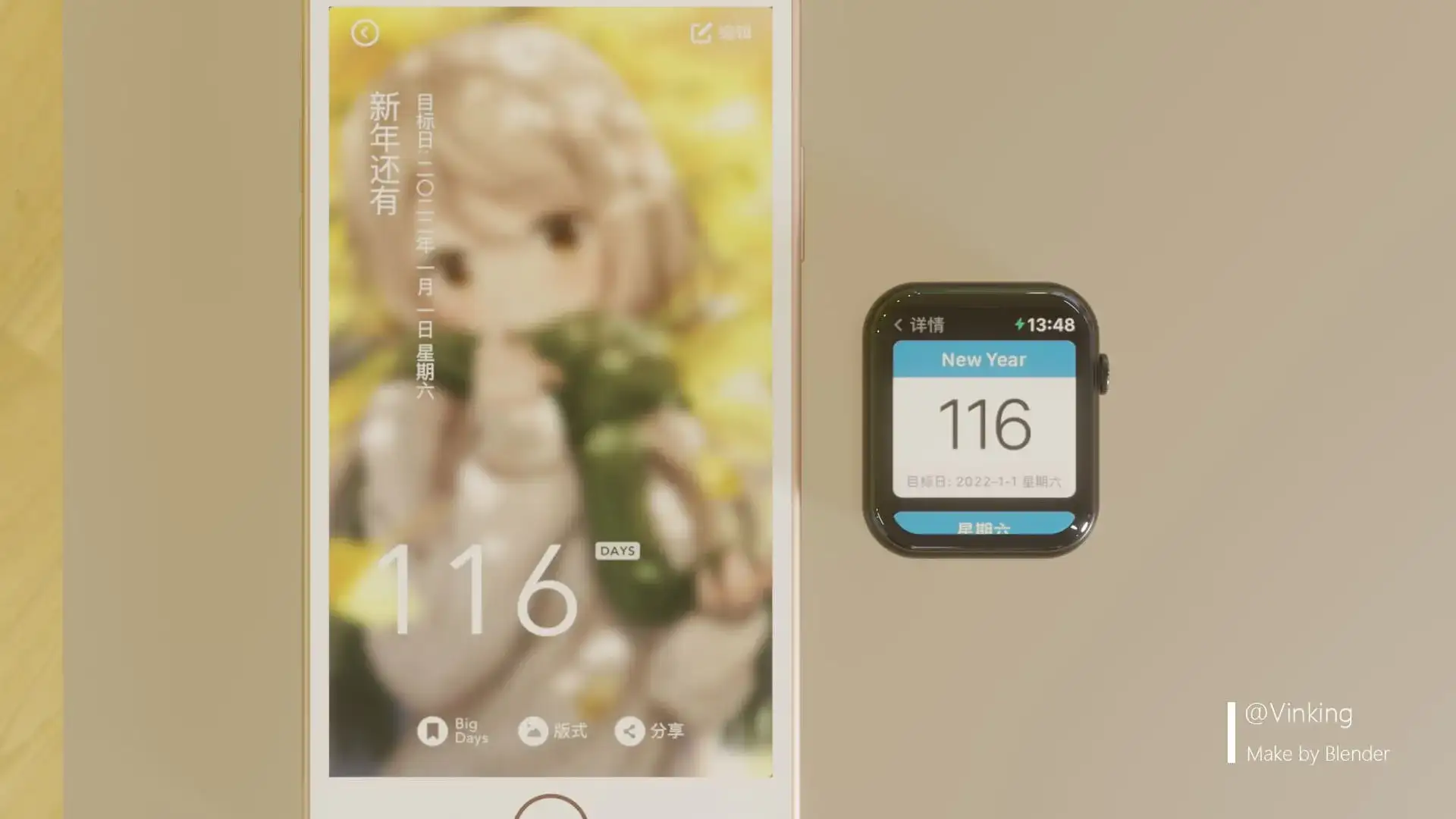
Countdown
Others
Lemon Water
A water-logging app that tracks how many millilitres you drink. The UI is pleasant. You do have to log every cup manually, so it’s a bit of a hassle, but it’s great as a reminder.
Evernote
For quick notes. Handy when you’re solving problems and don’t want to pull out your phone.