Lately, my laziness has been quite severe. When I'm browsing the internet and come across something interesting, I often want to send it to my phone to read later. However, I don't want to log in to WeChat every time, as it's too much trouble to open WeChat, pick up my phone, and scan the QR code.

Emoji
Then I remembered that I had previously set up a Vinking sauce on my server using Server sauce and Wecom sauce. I usually use it to receive blog comment notifications. Perhaps I could directly send messages to WeChat from the browser using Vinking sauce, which would be much more convenient. I spent a little time creating a simple script that can be run with Tampermonkey.
The basic principle of the plugin is to first use window.getSelection().toString() to get the text selected by the mouse. It then listens for the keyboard shortcutsctrl,alt, andP. If the selection is not empty, pressingctrl +alt +P will send the selected text to WeChat. However, during testing, I often found that WeChat only received part of a long string of text, and everything after & was missing. It turned out that I had forgotten to handle the & character, causing the string after & to be interpreted as part of the URL parameters. After adding specific character handling, it met my needs.
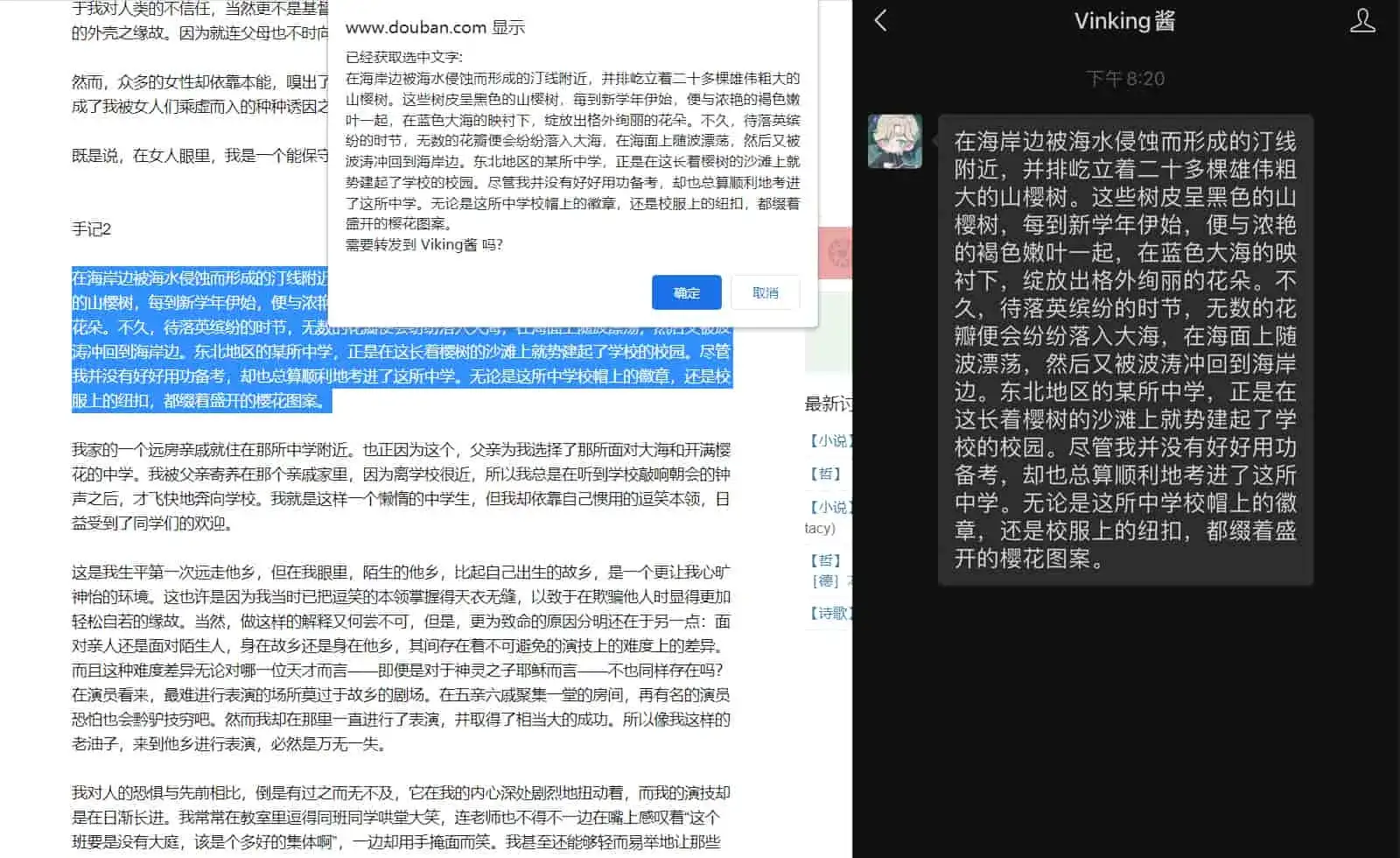
Effect
I also wrote a plugin to extract web page QR codes as URLs and forward them to WeChat, using jsQR.js, html2canvas.min.js, and jQuery. However, I encountered cross-domain issues that I couldn't figure out. After struggling with it for a while, my laziness got the better of me and I gave up.